
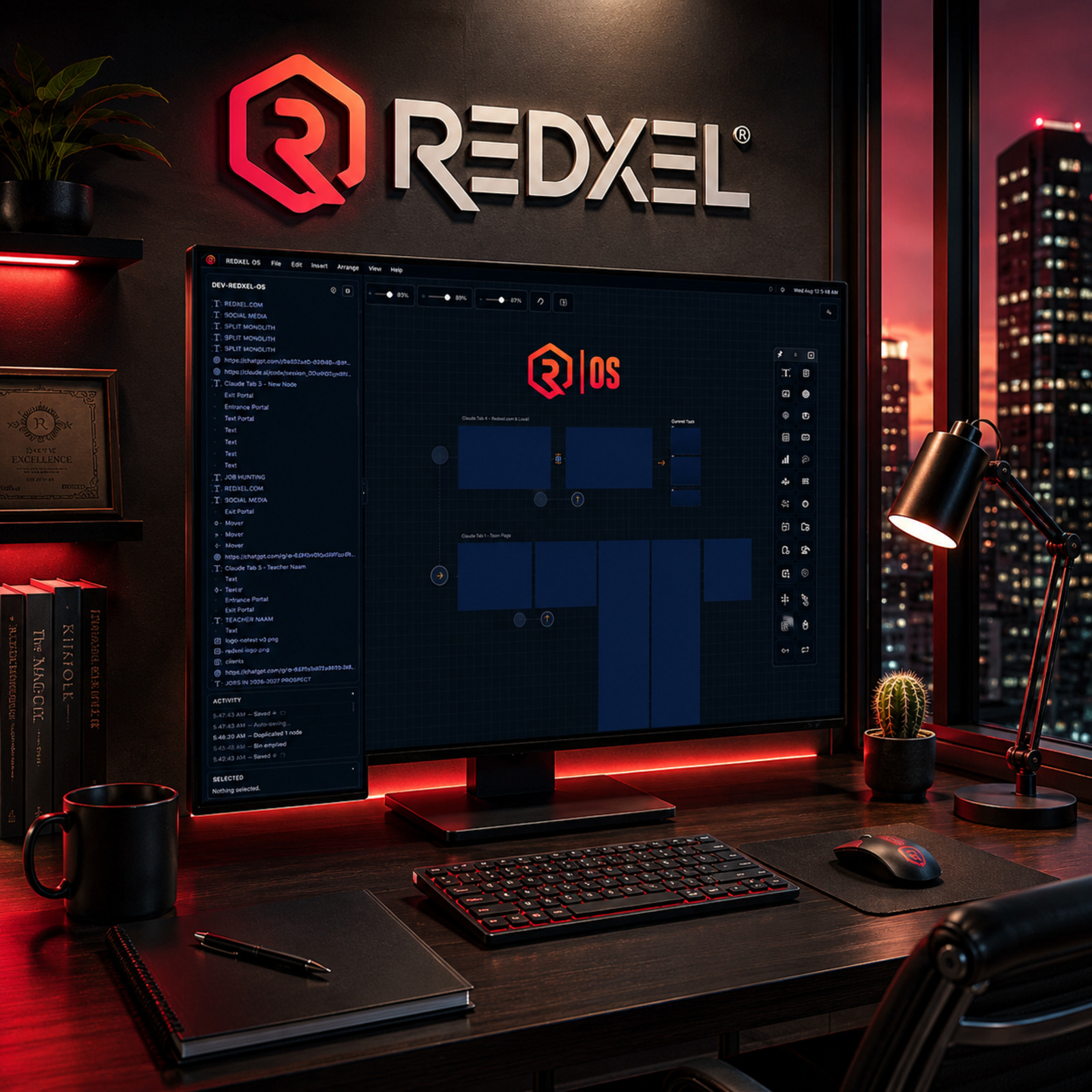
REDXEL OS: Creative Technology Workspace
REDXEL OS (R|OS) is a private Electron and JavaScript desktop workspace built around the way REDXEL actually works: projects that move between visual design, websites, files, research, browser content, terminal commands and AI-assisted development. It brings those recurring tools and project context onto one spatial canvas instead of scattering them across disconnected applications.
Framing the Challenge
A multidisciplinary REDXEL project can require creative assets, browser research, project files, live websites, terminal commands, technical troubleshooting, notes, reference imagery, structured data and AI-assisted tools, often within the same working session. The real difficulty is not simply having too many applications open. It is fragmented context: every switch between a file browser, a terminal, a browser tab and a design tool can separate the work from the reason behind it, from the reference material that shaped it, and from decisions already made. On a short task that friction is minor. Across a long-running project spanning weeks or months, it compounds, and previously visible context has to be rebuilt from memory every time work resumes. REDXEL OS was built to give that kind of work a single spatial home rather than forcing it through a rotating set of disconnected windows.
Key Objectives
- Create one visual working surface where project files, web content, terminal access, structured tools and notes can coexist.
- Preserve project context across long-running boards so work can resume without rebuilding the surrounding state.
- Bring real files and external project resources directly into the workspace rather than referencing them from outside it.
- Provide integrated web and terminal access so common lookups and commands do not require leaving the project environment.
- Support specialized node types so different kinds of work, from structured data to code to research, can each use a tool suited to it.
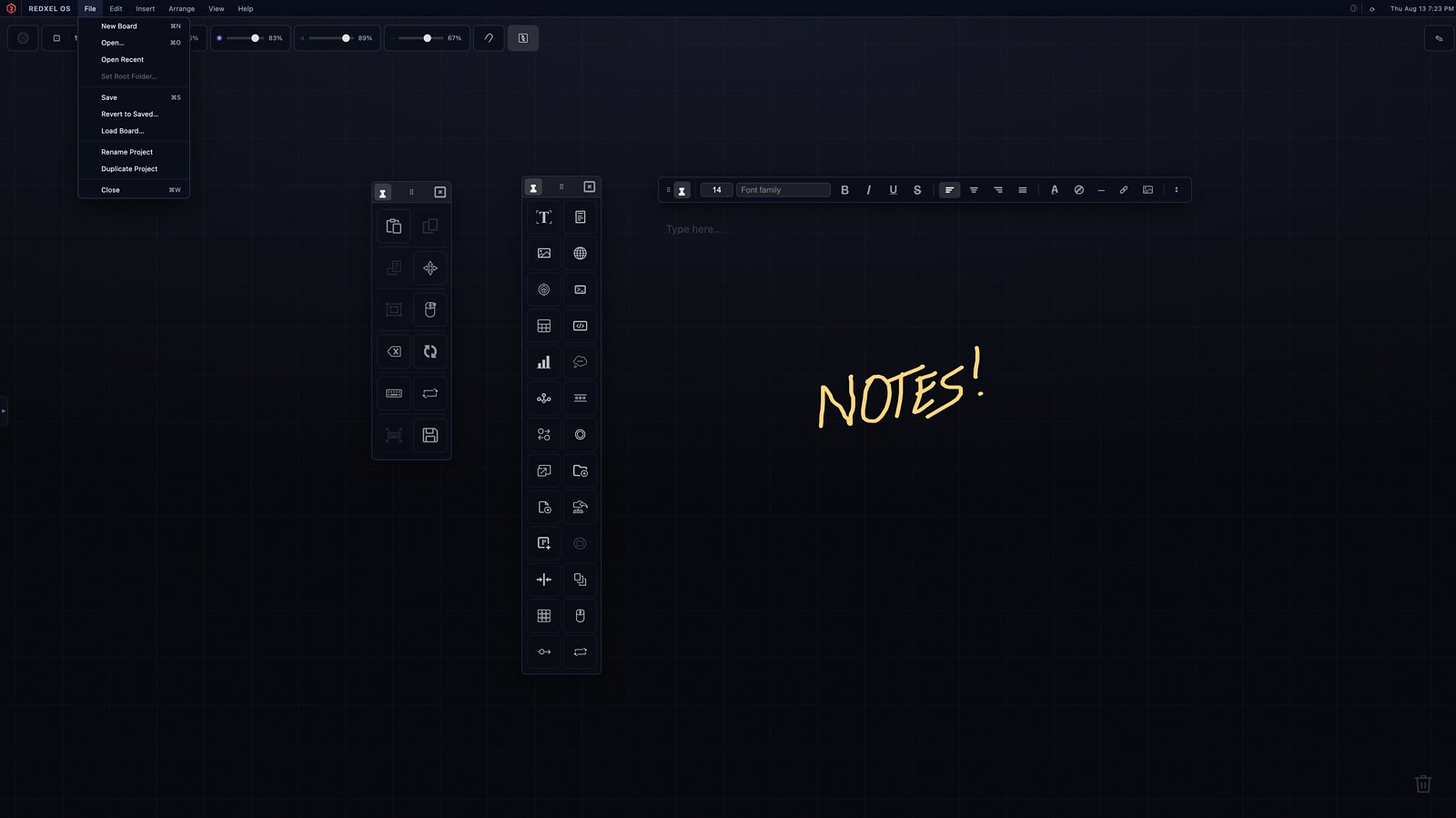
- Allow structured tools and freeform thinking, like notes and quick text, to exist side by side on the same board.
- Keep large, densely populated boards navigable by managing how much visual detail renders at different zoom levels.
- Offer AI as an optional, swappable capability inside the workspace rather than tying the whole system to a single provider.
Crafting the Solution
REDXEL OS is a private Electron desktop application built with JavaScript, running as an increasingly modular workspace rather than a single fixed-purpose tool.
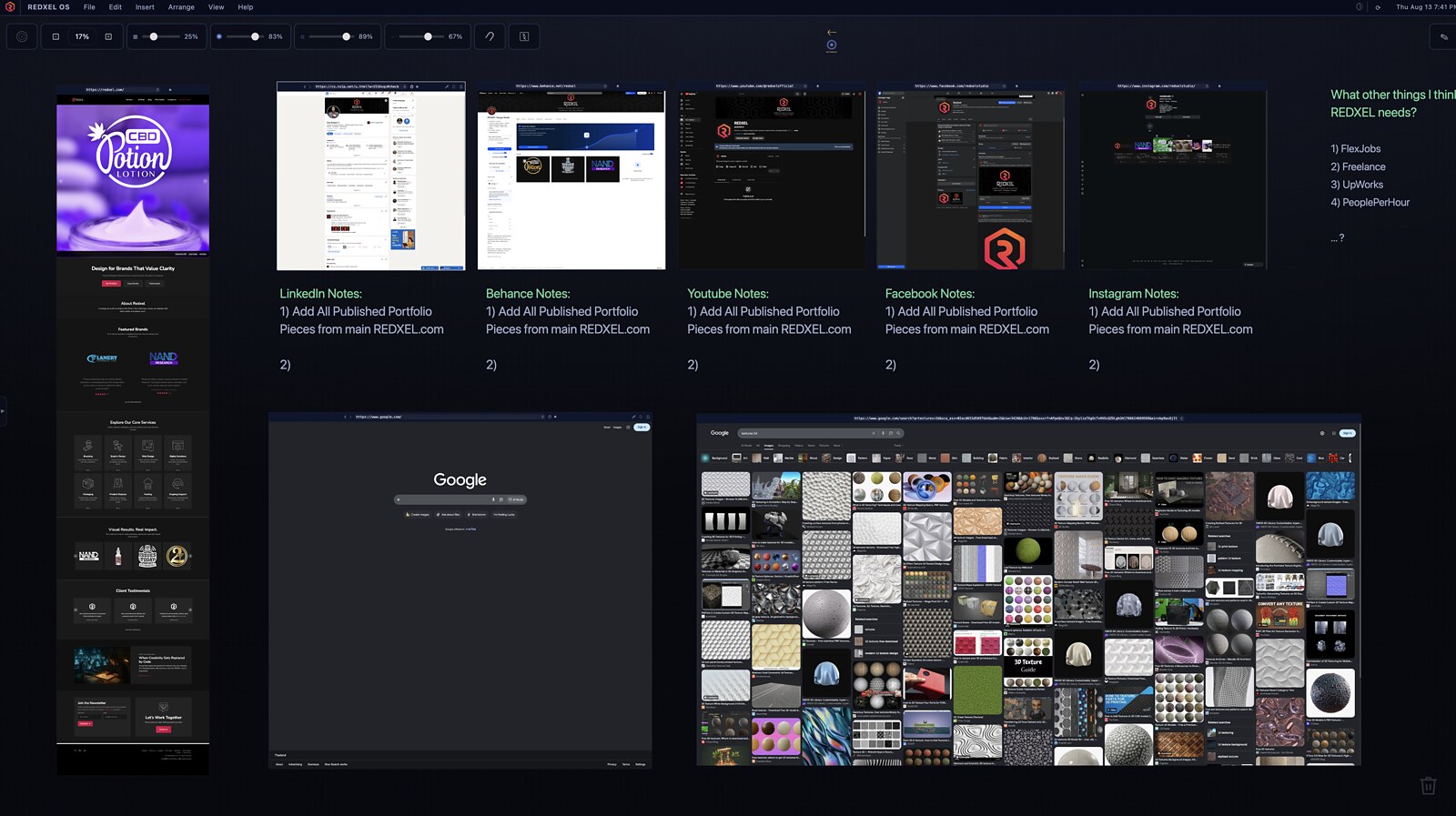
A spatial canvas instead of a fixed dashboard. Instead of a conventional sequence of separate application windows, R|OS provides a large, zoomable canvas where different kinds of project information and tools can be placed and arranged spatially. Work that belongs together can stay visually together, and a project can grow outward across the canvas rather than being confined to a single fixed layout.
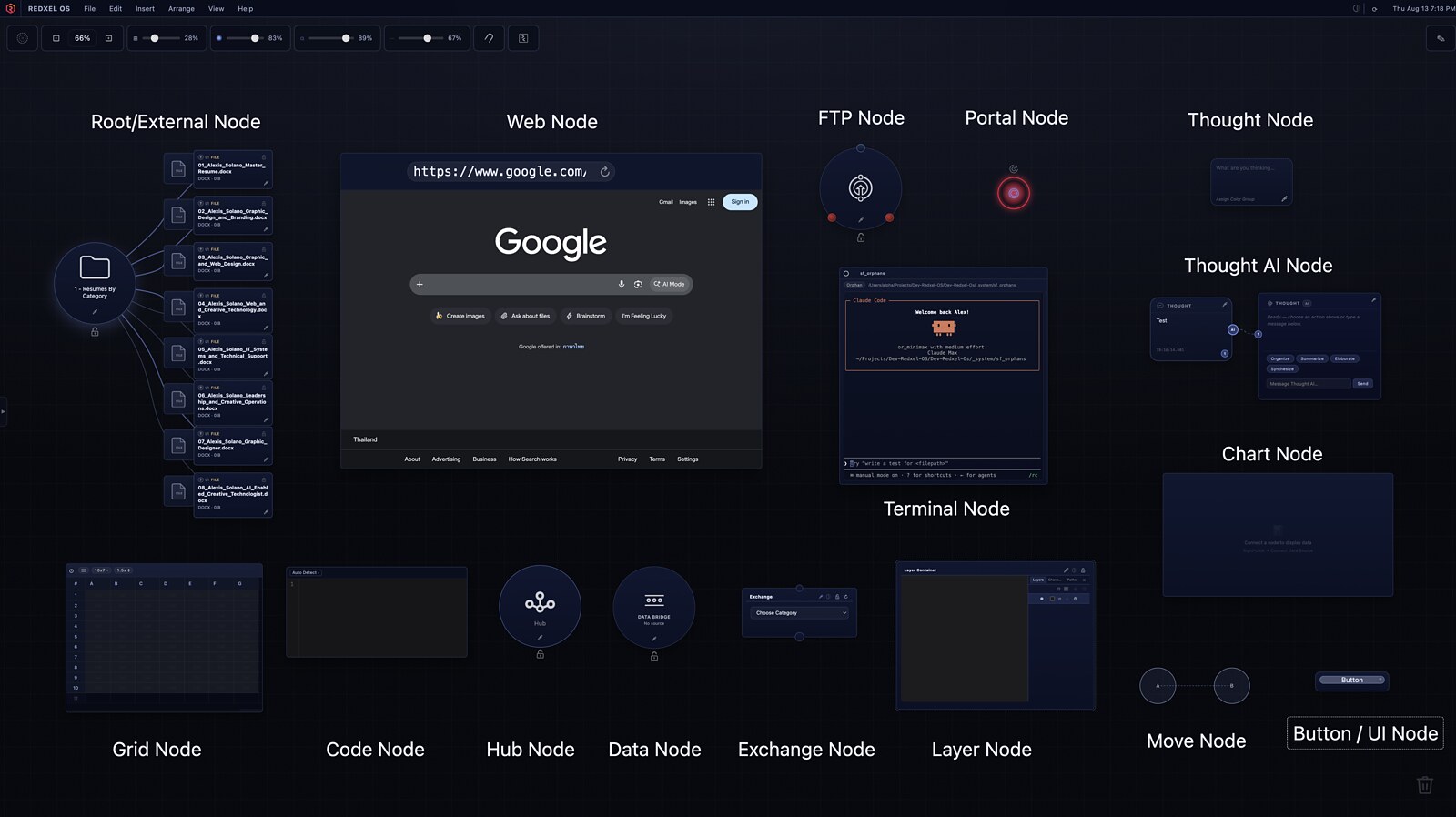
Specialized nodes for different kinds of work. Rather than one generic content type, R|OS uses purpose-built nodes: a Root/External node that connects the board to real files and folders, a Web node for browsing without leaving the project, a Terminal node with real command-line access, a Grid node for spreadsheet-style structured data, a Code node with a full code-editing environment, and Thought and Thought AI nodes for capturing ideas and working with AI-assisted responses. Supporting node types, including FTP, Data, Chart, Exchange, Hub, Portal, Layer and simple UI/Button nodes, extend the canvas for more specific connective and organizational tasks.
Real files and external context, not just references. A Root/External node can mount an actual folder from the file system directly onto the board, so a project's real working files are part of the workspace itself rather than something to go find elsewhere.
Web and terminal access without leaving the project. A Web node brings a live browser surface onto the canvas, and a Terminal node provides real command-line access in place, so common lookups, references and commands do not force an exit from the surrounding project context.
Structured and freeform work side by side. A Grid node handles spreadsheet-style structured data, while simple text and note elements support freeform thinking, quick annotations and planning directly on the same board, so structured tools and informal notes are not forced into separate applications.
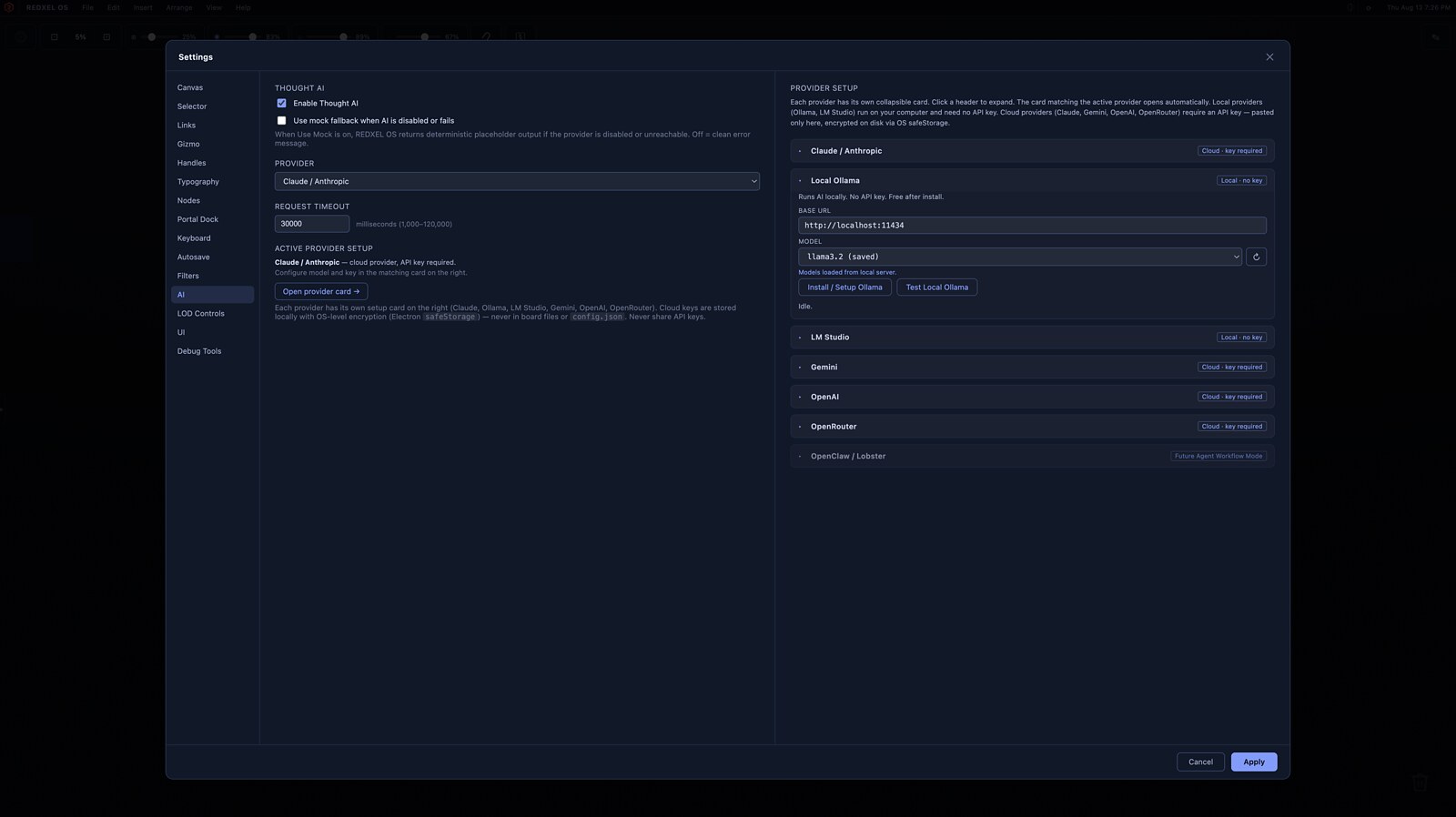
AI as a configurable layer, not the identity of the product. Thought AI can be enabled or disabled, and its provider is configurable rather than fixed: REDXEL OS currently supports Claude/Anthropic, Google Gemini, OpenAI and OpenRouter as cloud providers, and Ollama and LM Studio as local providers that run entirely on the user's own machine with no API key required. Cloud provider API keys are stored locally using operating-system-level encryption through Electron's safeStorage and are never written into board files or the application's configuration file. An additional future Agent Workflow Mode is present in the settings interface as a placeholder for later development and is not an active provider today.
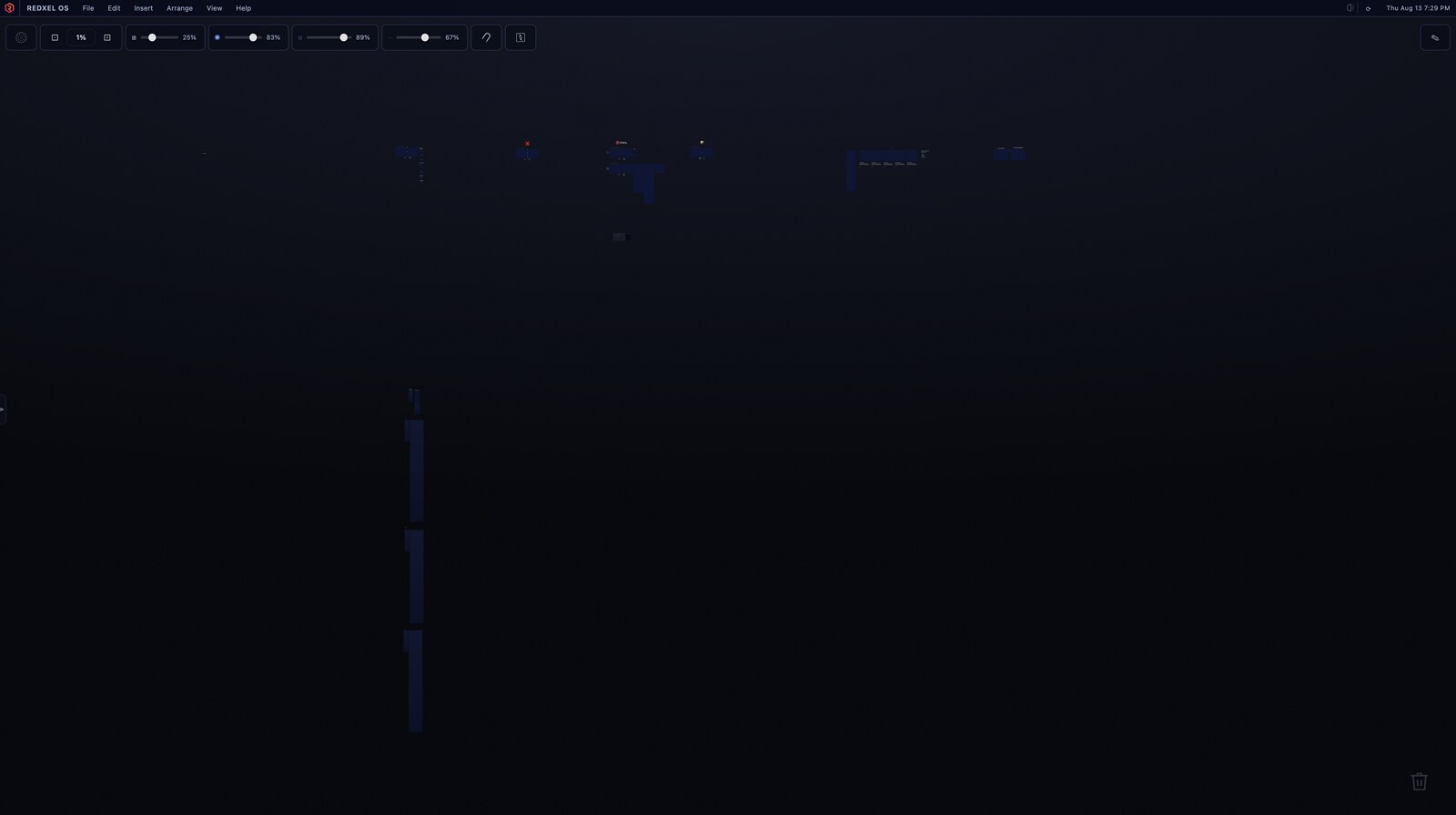
Built for large, long-running boards. Because a board can grow well beyond the size of a single screen, R|OS includes zoom and level-of-detail behavior that reduces rendering complexity for distant or zoomed-out content, keeping large boards navigable instead of overwhelming at every zoom level. At extreme zoom, a board reads as a map of where different clusters of work live, useful for long-running projects with many moving parts.
Real Results
REDXEL OS now provides a working, persistent environment for REDXEL's own project boards: files, web references, terminal access, structured data and AI-assisted tools are available inside one workspace instead of being spread across a long list of separate applications. Saved boards preserve project state between sessions, so long-running work does not have to be reconstructed from memory each time it resumes. Real REDXEL planning, including website, portfolio and social-platform work, has been organized spatially on R|OS boards, keeping reference material, notes and project decisions visible together rather than buried across unrelated windows and tabs. The AI layer is available without requiring the surrounding project model to revolve around any single provider, and the workspace supports both close, node-level interaction and a large-scale overview of an entire board.
The REDXEL Impact
REDXEL OS is less about building software for its own sake and more about identifying an operational problem that crossed design, technical and workflow boundaries, then designing, building, verifying and continuing to improve a working system around it. Producing R|OS required problem definition, interface thinking, application development, systems-level decisions such as credential handling and local-versus-cloud AI support, ongoing technical troubleshooting, and a disciplined, iterative development process with regression checks as the application evolved. For a REDXEL client, that same combination of thinking, design sense, workflow judgment, technical execution and AI-assisted development ability applies directly to the client's own project, whether it fits neatly into one category or crosses several. Learn more about Alex Solano and the multidisciplinary experience behind REDXEL.
What We Delivered
- Private Electron desktop application
- Spatial, zoomable project canvas
- Saved project and board state with reload and revert support
- Real file and external-resource nodes (Root/External)
- Web browsing node for in-workspace research
- Terminal node with real command-line access
- Grid node for spreadsheet-style structured data
- Code node with a full code-editing environment
- Thought and Thought AI nodes for AI-assisted work
- Configurable multi-provider AI system (Claude, Gemini, OpenAI, OpenRouter, plus local Ollama and LM Studio)
- OS-level encrypted local storage for cloud provider API keys
- Supporting FTP, Data, Chart, Exchange, Hub, Portal, Layer and UI/Button nodes
- Zoom and level-of-detail behavior for large boards
- Project rename, duplicate, save, load and revert-to-saved workflows
- Modularized application components with ongoing architecture and regression verification